
Select > multiple select
Overview
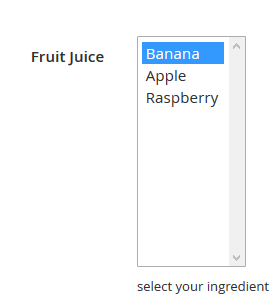
Enables to display a list of options where the user can select one,several or none of the items available, like the checkbox, but they appear in a vertical list;
You can set one item or more to be selected by default.
Screenshot

Result in backoffice :

Settings
- Title : Label of the field
- Identifier : Unique ID, used for template redefinition and custom script. By default, the identifier is set by a concatenation of the Custom Type identifier (eg “all_fields”) and Title (eg. “area”).
- Input type : current definition of the field type. Note that after saving, you’ll be unable to change it.
- Required : define if the field is mandatory or not when user will complete the content form.
- Show in Grid : define if the field will be available to be showed in the content listing (under CMS → Your content type name). Take care because all value will be showed.
- Note : A note which will be displayed under the field to help the webmaster, or give information about this field.
Special settings :
- Title: item names that you can select in the list
- Value : corresponding value that will be stored in the database
- Default : select one or more item(s) by default.