
Search Feature
To know if your Advanced Content Manager version supports the search feature, please refer to our releases notes.
With Advanced Content Manager, you can enable the search option for Content Types. At the moment, only the Content can be searchable but It’s planned to add the ContentLists to the indexers too.
Before configuring the search option on a content type, the search feature itself must be enabled globally with the Enable Search Indexer option in System Configuration; this also controls whether the blackbird_contenttype_fulltext indexer runs at all. The Display Search Results option (also in System Configuration) additionally controls whether these results are shown in Magento's native search results page, alongside products.
The content Title is always searchable in addition to your Custom Fields, and does not need to be flagged in the Content Type. Its weight in the search relevance can be adjusted (or set to 0 to exclude it from search) via the Title Search Weight option in System Configuration.
Firstly, you need to enable the search option in your Content Type, in the tabs “Search”. Now, some new fields are available in your Custom Fields, “Is Searchable” and “Search Attribute Weight”.
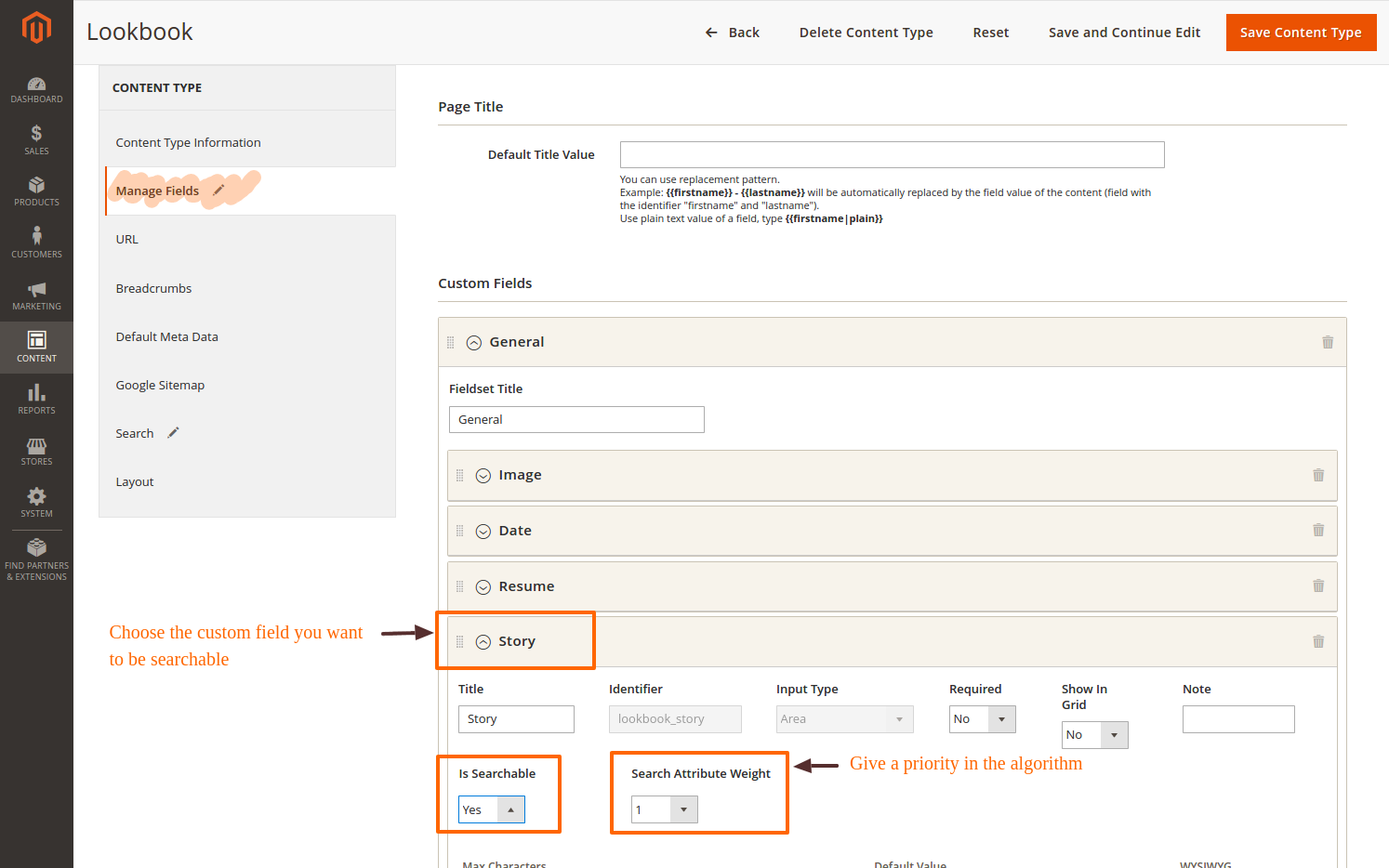
The first field allows you to set this attribute searchable or not. The second allows you to define the weight of the attribute in the search algorithm.
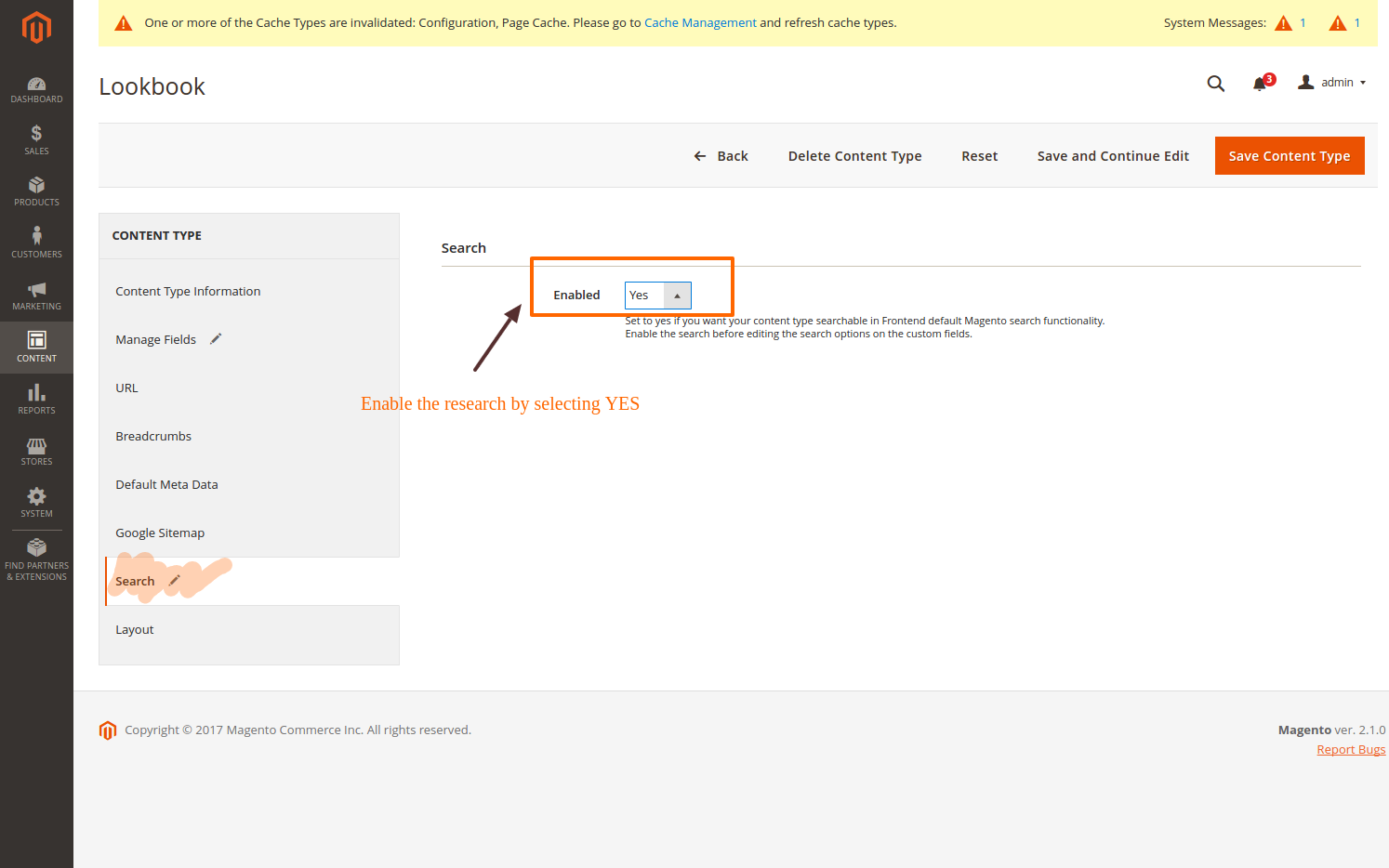
Save your Content Type.
If the Content Manager Search index is configured to “update on save”, your Contents are available in the search form. Otherwise, wait that the cron has reindexed the Content Manager Search index. But you can also reindexing the Content Manager Search index manually, please run the following command in the root of your Magento 2 project:
php bin/magento indexer:reindex blackbird_contenttype_fulltext
Fuzzy & Prefix Search
By default, the search matches contents whose text starts with the search term (prefix search), so results appear as the visitor types. Two System Configuration options let you tune this:
- Enable Prefix Search — turn the search-as-you-type behavior above off if you only want exact/fuzzy matches.
- Enable Fuzzy Search — additionally match contents close to the search term, tolerating typos and small misspellings (e.g. searching "bonjuor" still finds "bonjour"). Combine it with prefix search, or use it alone. The tolerance (number of character edits allowed) is set via Fuzzy Search Tolerance.
These two options can be combined or used independently, and take effect immediately — no reindex is required, only a config cache flush if you changed them outside the admin.